Getting Started with Next.js: A Beginner-Friendly App Router Guide
Set up a Next.js project, understand Server and Client Components, routing, data fetching, route handlers, images, errors and deployment.


0. Before Next.js: the minimum you should know
| Skill | Minimum level | Why it matters |
|---|---|---|
| HTML | Headings, forms, links, semantic structure | JSX ultimately describes HTML-like UI. |
| CSS | Flexbox/Grid, spacing, responsive basics | Next.js does not replace layout skills. |
| JavaScript | Functions, arrays, objects, async/await, modules | React and Next.js are JavaScript-first. |
| React | Components, props, state | Next.js is a React framework. |
Free preparation resources
1. Create a real Next.js project
Install a current Node.js LTS release, open PowerShell or a terminal, choose a folder, then create a project. The prompts can change between Next.js versions; for this tutorial choose JavaScript, App Router and ESLint. Tailwind is optional.
npx create-next-app@latest campus-market
cd campus-market
npm run dev
Open http://localhost:3000. Do not install ten libraries yet. First prove that the starter runs and that editing app/page.js updates the browser.
2. Understand the App Router folders
| Path | Purpose |
|---|---|
| app/page.js | UI for / |
| app/layout.js | Shared root layout around every page |
| app/products/page.js | UI for /products |
| app/products/[id]/page.js | Dynamic route such as /products/42 |
| app/api/products/route.js | HTTP endpoint such as GET /api/products |
| public/ | Static files served from the site root |
3. Build the home page
import Link from 'next/link';

export default function HomePage() {
  return (
    <main>
      <h1>Campus Market</h1>
      <p>Buy and sell useful student items.</p>
      <Link href="/products">Browse products</Link>
    </main>
  );
}
In App Router, a folder becomes a URL segment only when it contains a page.js (or another public route file). Link gives client-side navigation while preserving normal link semantics.
4. Add a shared layout and metadata
import './globals.css';

export const metadata = {
  title: {
    default: 'Campus Market',
    template: '%s | Campus Market',
  },
  description: 'A simple student marketplace built with Next.js.',
};

export default function RootLayout({ children }) {
  return (
    <html lang="en">
      <body>
        <header className="siteHeader">Campus Market</header>
        {children}
      </body>
    </html>
  );
}5. Render a product list on the server
import Link from 'next/link';

const products = [
  { id: '1', name: 'Scientific calculator', price: 8500 },
  { id: '2', name: 'USB keyboard', price: 6000 },
  { id: '3', name: 'HND networking book', price: 4500 },
];

export default function ProductsPage() {
  return (
    <main>
      <h1>Products</h1>
      <ul>
        {products.map((product) => (
          <li key={product.id}>
            <Link href={`/products/${product.id}`}>
              {product.name} — {product.price.toLocaleString()} FCFA
            </Link>
          </li>
        ))}
      </ul>
    </main>
  );
}
6. Create a dynamic product page
const products = {
  '1': { name: 'Scientific calculator', price: 8500 },
  '2': { name: 'USB keyboard', price: 6000 },
  '3': { name: 'HND networking book', price: 4500 },
};

export default async function ProductPage({ params }) {
  const { id } = await params;
  const product = products[id];

  if (!product) return <main>Product not found.</main>;

  return (
    <main>
      <h1>{product.name}</h1>
      <p>{product.price.toLocaleString()} FCFA</p>
    </main>
  );
}
7. Know when to use a Client Component
Server Components are the default in the App Router. Use a Client Component when you need browser state, click handlers, effects or browser-only APIs. Keep the client boundary small rather than putting 'use client' on every file.
'use client';

import { useState } from 'react';

export default function AddToCartButton() {
  const [count, setCount] = useState(0);

  return (
    <button onClick={() => setCount((value) => value + 1)}>
      Add to cart ({count})
    </button>
  );
}
8. Build an API endpoint with a Route Handler
const products = [
  { id: 1, name: 'Scientific calculator', price: 8500 },
  { id: 2, name: 'USB keyboard', price: 6000 },
];

export async function GET() {
  return Response.json({ items: products });
}

export async function POST(request) {
  const body = await request.json();

  if (!body?.name || !Number.isFinite(Number(body?.price))) {
    return Response.json({ error: 'name and price are required' }, { status: 400 });
  }

  return Response.json(
    { item: { id: Date.now(), name: body.name, price: Number(body.price) } },
    { status: 201 }
  );
}
9. Fetch data without turning everything into client code
async function getProducts() {
  const response = await fetch('https://example.com/api/products', {
    cache: 'no-store',
  });

  if (!response.ok) throw new Error('Could not load products');
  return response.json();
}

export default async function ProductsPage() {
  const data = await getProducts();
  return <pre>{JSON.stringify(data, null, 2)}</pre>;
}
10. Add loading and error states
export default function LoadingProducts() {
  return <p>Loading products…</p>;
}'use client';
export default function ProductsError({ reset }) {
return (
<div>
<p>We could not load the products.</p>
<button onClick={reset}>Try again</button>
</div>
);
}11. Make the page responsive
* { box-sizing: border-box; }
body { margin: 0; font-family: system-ui, sans-serif; }
main { width: min(1100px, calc(100% - 32px)); margin: 48px auto; }
.productGrid { display: grid; grid-template-columns: repeat(3, 1fr); gap: 16px; }
@media (max-width: 760px) {
  .productGrid { grid-template-columns: 1fr; }
}
12. Build for production
npm run build
npm run start
Before deployment
- ✓The production build finishes without errors.
- ✓Secrets are in server-side environment variables, not committed code.
- ✓Every page has a useful title and description.
- ✓Mobile layout is tested at narrow widths.
- ✓404, loading and error states are understandable.
- ✓Images have meaningful alt text when they carry information.
13. Mini-project challenge: turn Campus Market into a real portfolio project
- 1Phase 1 — static UI
Home, product list, product detail, responsive navigation.
- 2Phase 2 — data
Replace the hard-coded array with PostgreSQL, Supabase, Turso or another database.
- 3Phase 3 — account
Add authentication and protect seller actions on the server.
- 4Phase 4 — forms
Create product submission with server-side validation.
- 5Phase 5 — production
Deploy, connect a domain, add metadata, sitemap, analytics and monitoring.
Continue with official documentation
Sources and further reading
Clarvo articles are independently written. These references let you inspect the original inspiration and primary or official sources used to deepen the guide.
You can also read
 Web DevelopmentMaster React Step by Step: From Components to Hooks and Real Projects13 min read →GCE Study GuideCameroon GCE Past Papers: A Complete O-Level and A-Level Study Guide15 min read →
 Clarvo & PrivacyHow to Delete Your Clarvo Account — What Happens, What You Lose, and What to Check First11 min read →
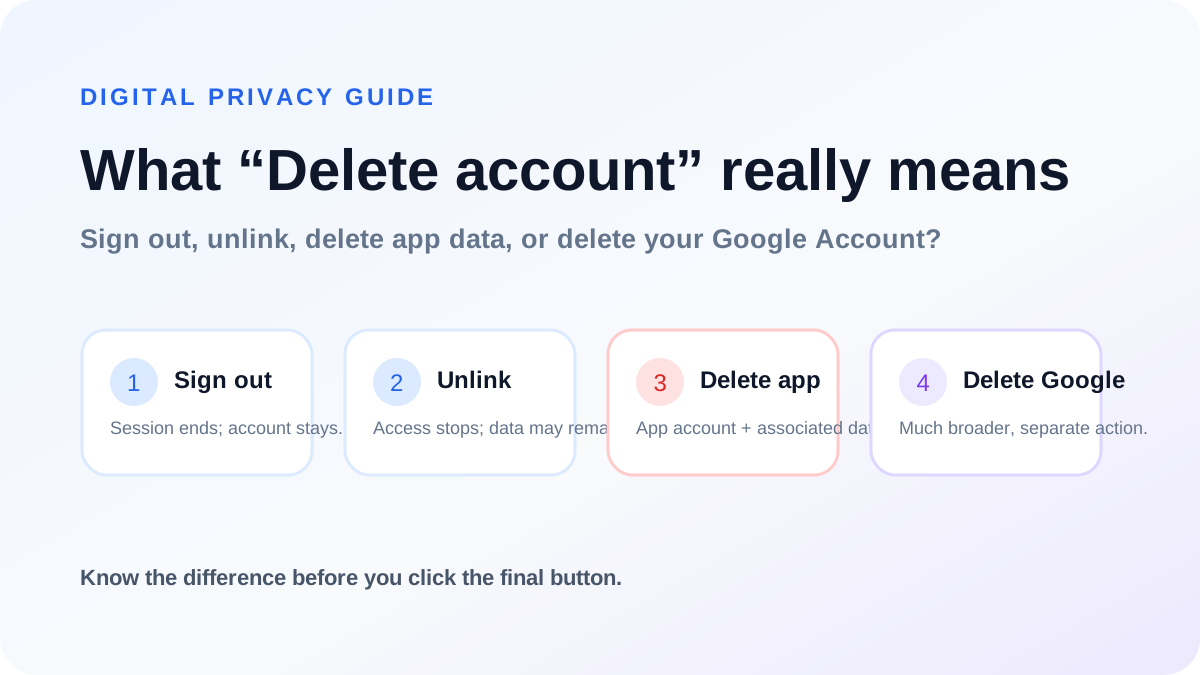 Digital PrivacyDeleting an Online Account Safely: Sign Out vs Unlink vs Delete12 min read →